
Customers do not always answer
Calls get missed. Voicemails get ignored. Simple updates take longer than they should.
Service Rabbit Messenger helps service departments send updates, receive replies, reduce phone-tag, and keep customer conversations organized — all from one simple desktop messaging system.
Built from real service-center experience by Matthew Foor.
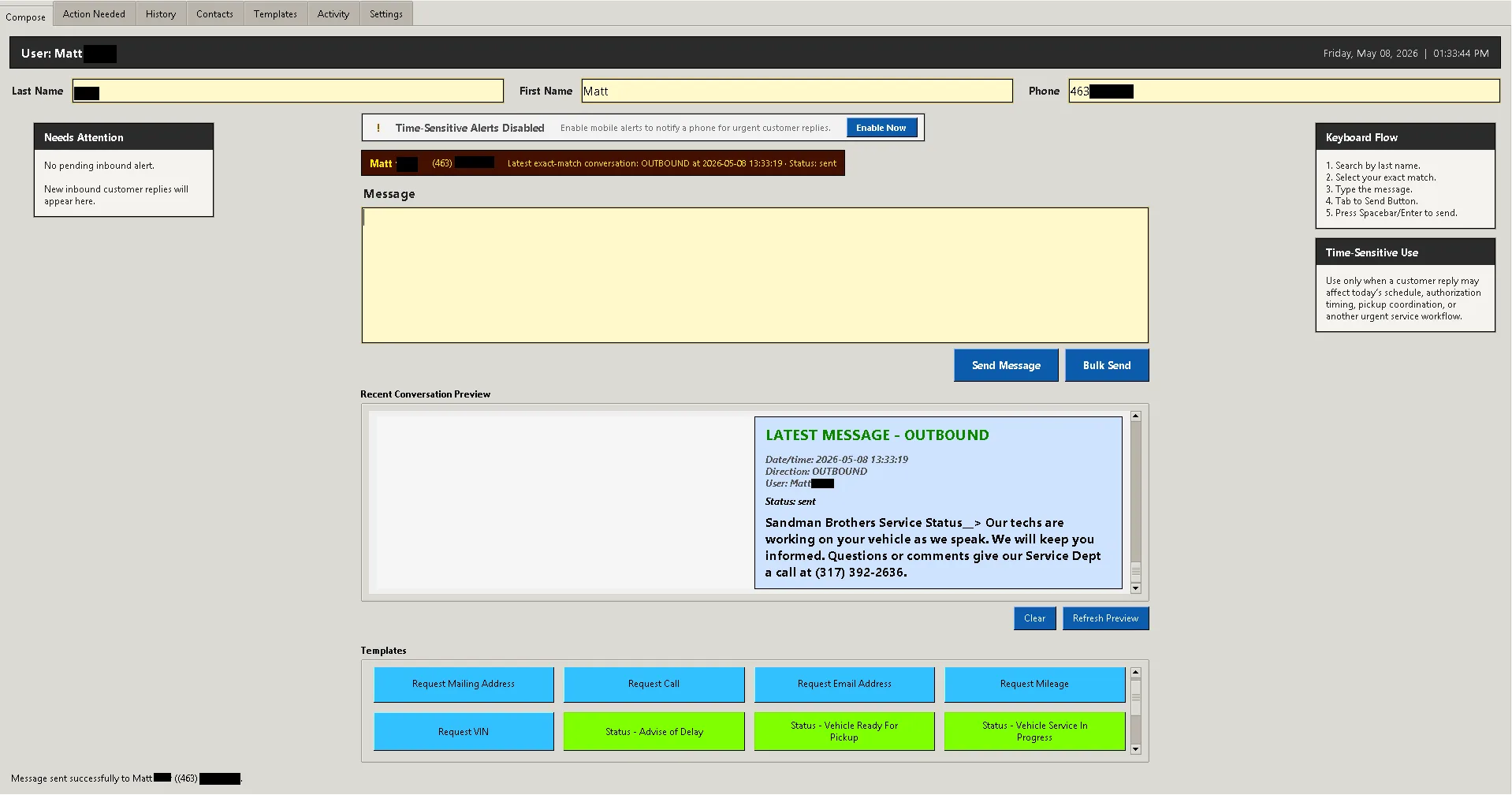
Service teams lose time every day to routine calls, missed callbacks, voicemails, repeated updates, and scattered customer conversations. A simple update should not turn into a chain of phone-tag.
Calls get missed. Voicemails get ignored. Simple updates take longer than they should.
Messages go unheard, details get missed, and teams end up repeating the same update again.
When communication lives in calls, notes, emails, and memory, it is harder to know what was said.
Critical responses can’t always wait for the next desk check or another business-hour callback.
Two-way texting, smart templates, controlled bulk messaging, conversation history, and operational visibility — built for how service teams actually work.
Service Rabbit Messenger brings your team, templates, customer replies, and message history together in one practical desktop workflow.
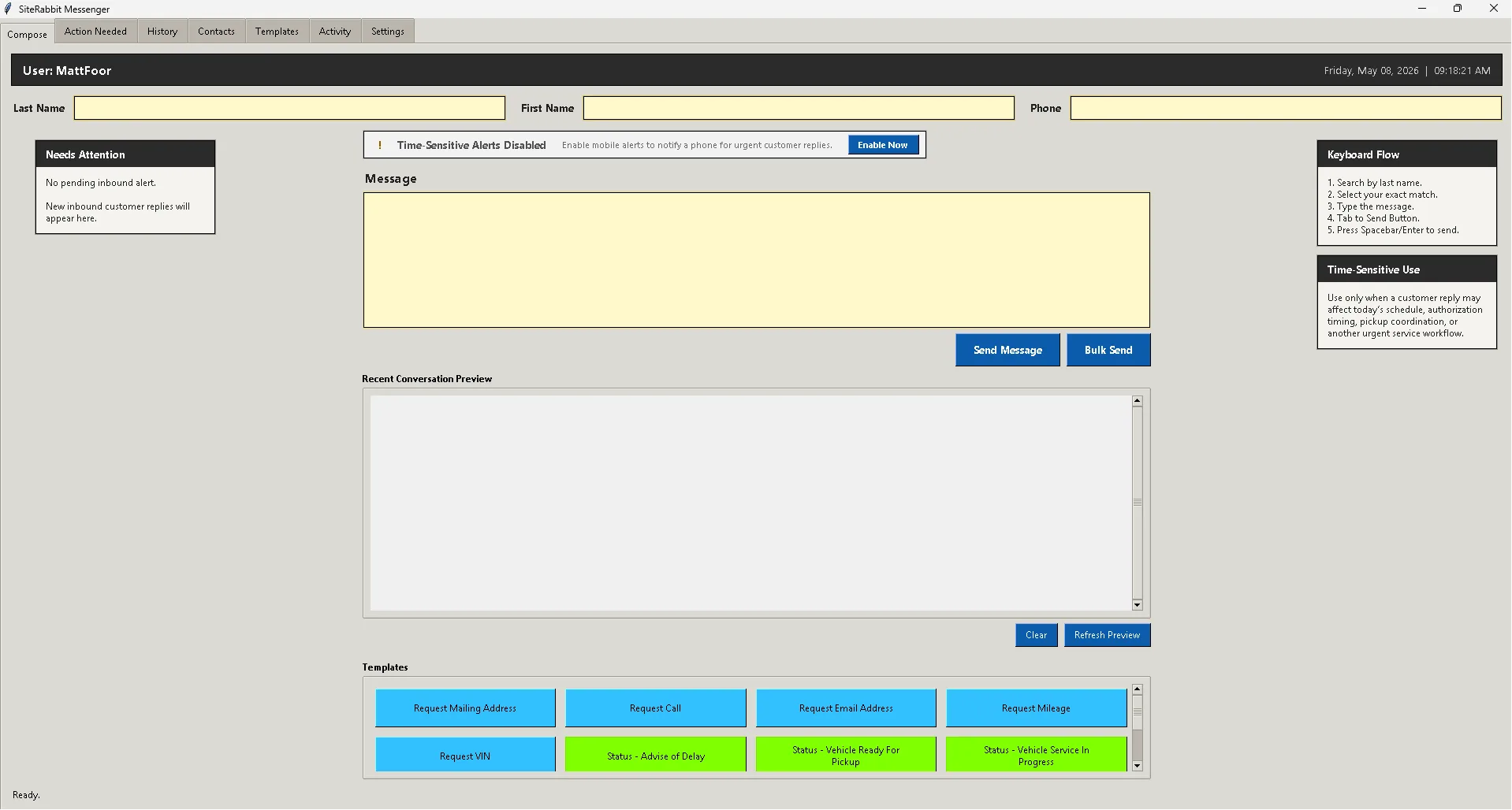
Search customers, send updates, receive replies, and use templates from one focused workflow.
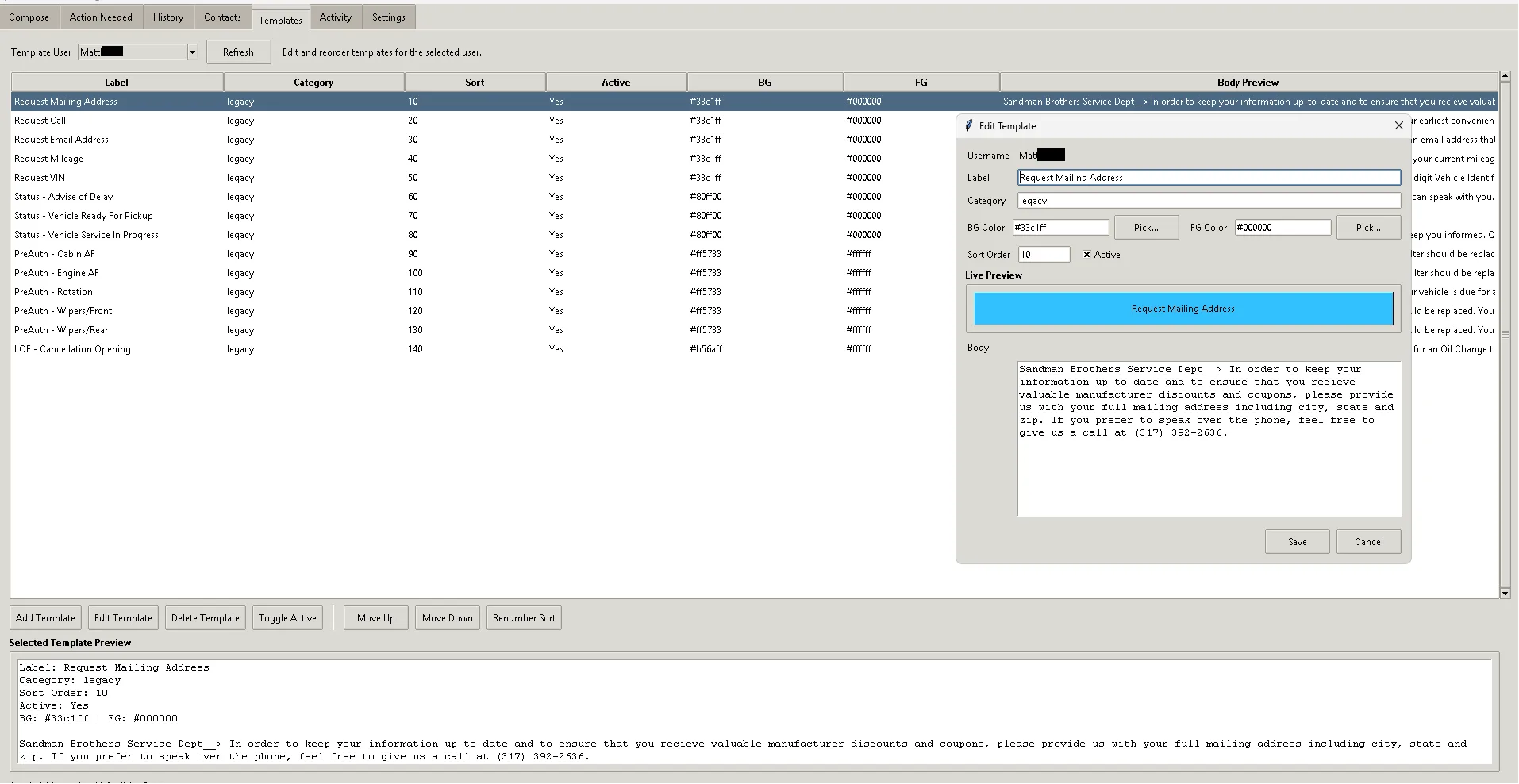
Create, organize, edit, and manage the service messages your team actually uses every day.
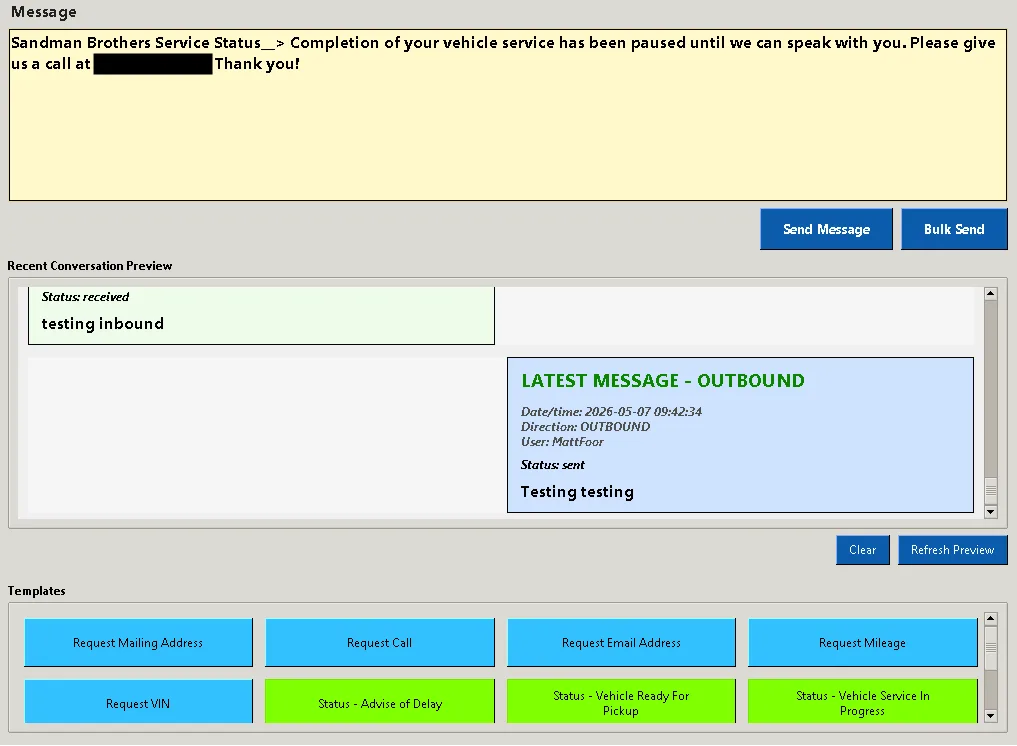
See the latest inbound and outbound messages so your team has context before sending the next update.
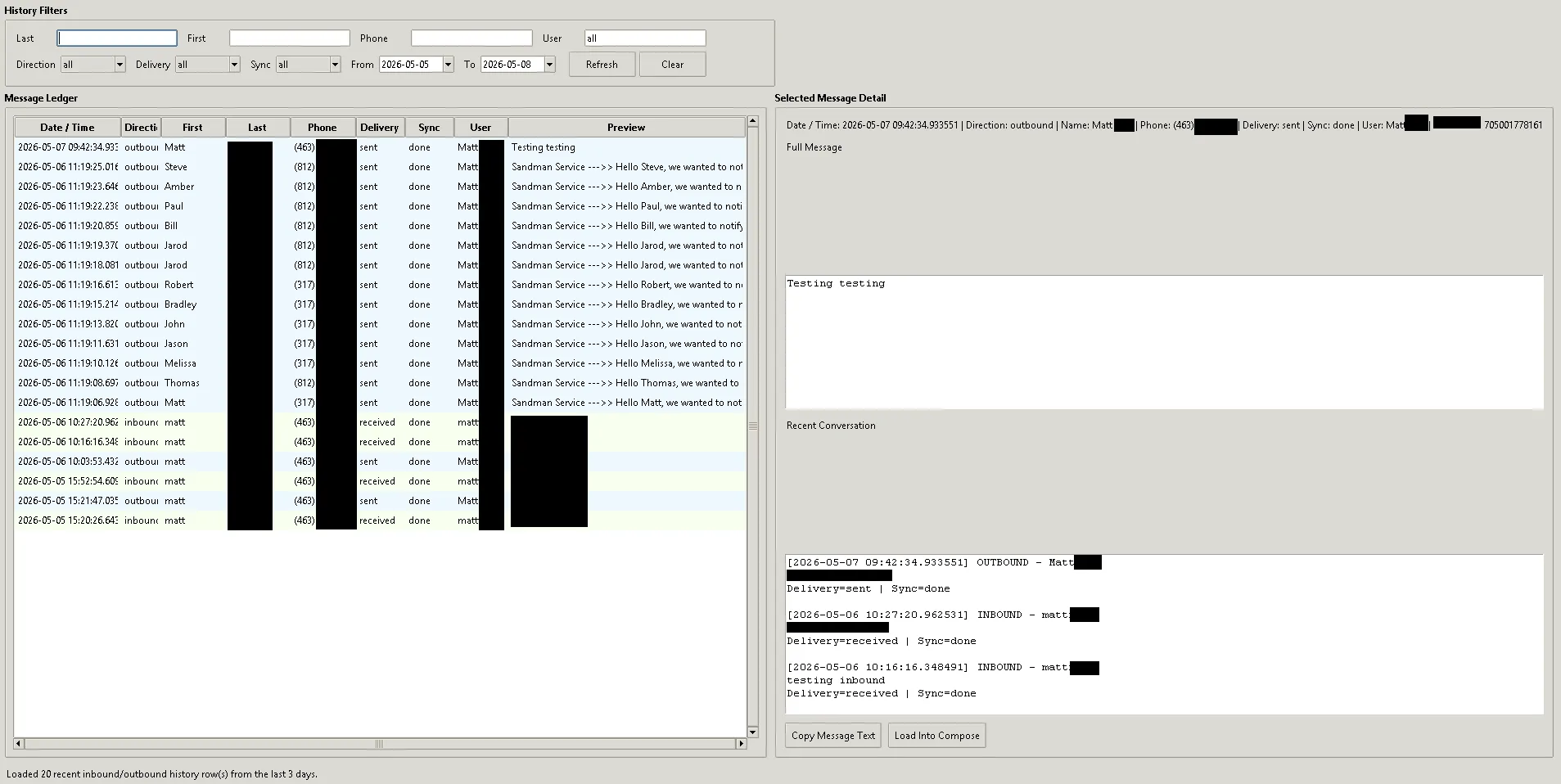
Filter, review, and revisit previous customer messages with searchable records and clear delivery context.
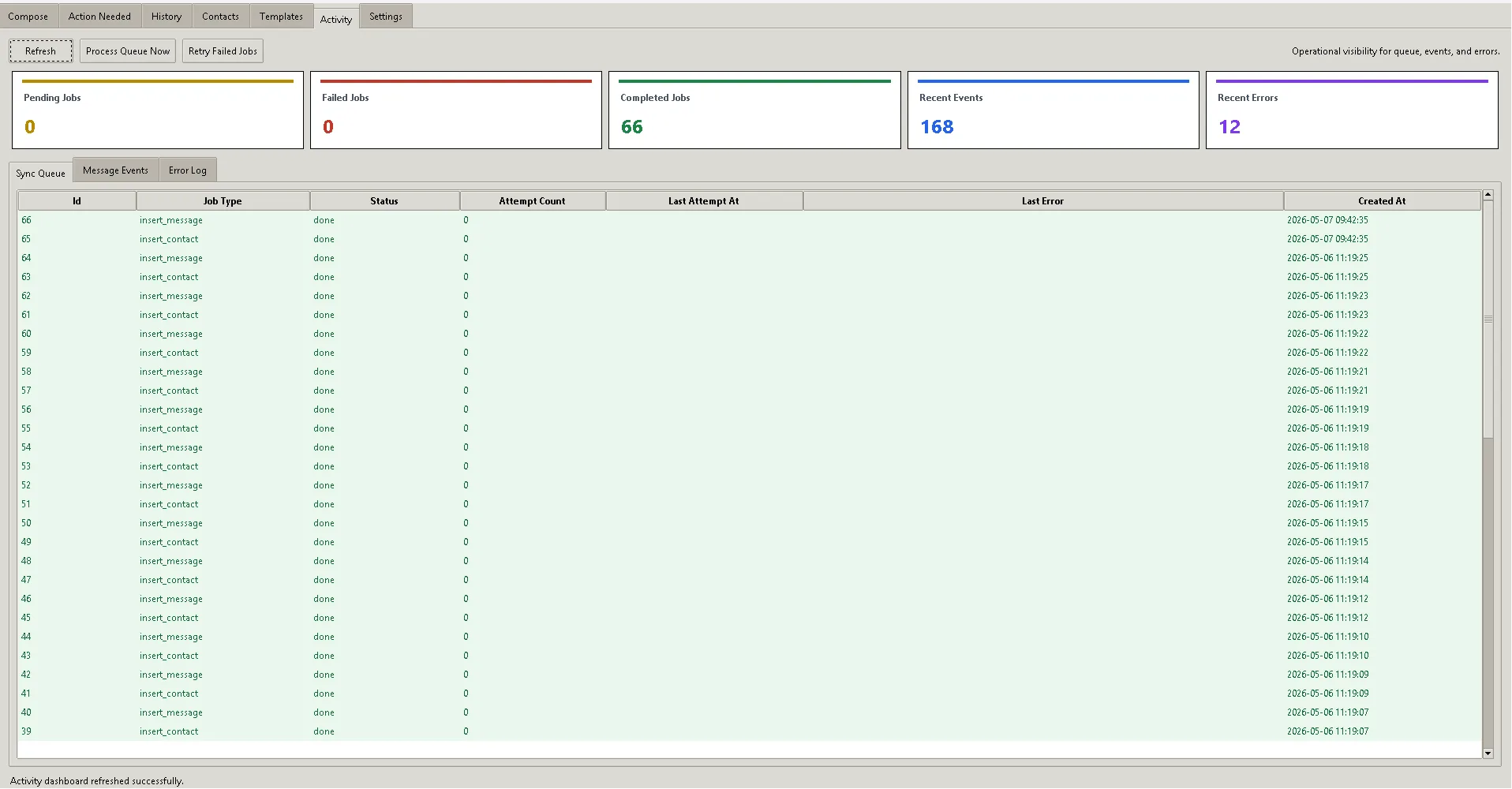
Track queue activity, completed jobs, recent events, and errors so communication does not disappear into the background.
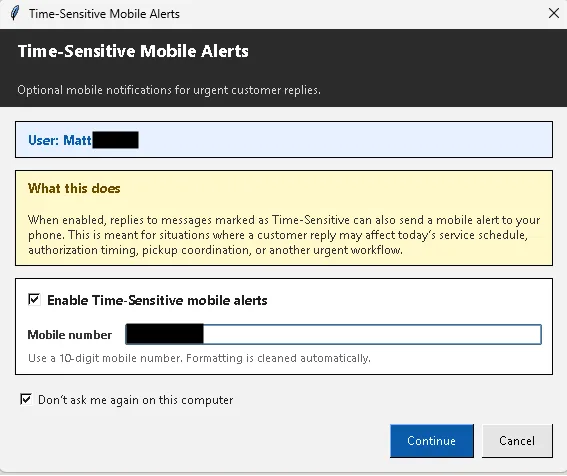
Enable time-sensitive mobile alerts for customer replies that can affect scheduling, authorization, or pickup coordination.
Service Rabbit Messenger is designed around routine customer updates that need to happen quickly, clearly, and with a record.
Send quick reminders before scheduled visits and reduce missed appointments.
Keep customers informed while diagnostics, repairs, inspections, or service work are moving forward.
Let customers know when parts arrive, when orders change, or when the next step is ready.
Notify customers when their vehicle, equipment, or service item is ready without tying up the phone line.
Check in after service and keep the communication loop open without adding more calls to the day.
Receive customer responses inside the same workflow so conversations stay visible and easier to track.
Service Rabbit Messenger was created by Matthew Foor after seeing the same communication problems repeat inside a working service department: too many routine calls, too much phone-tag, too many missed callbacks, and not enough visibility into customer conversations.
Instead of building a generic texting platform, Matthew built a practical messaging system around the way service teams actually work.
The workflow is intentionally direct because service teams do not need another complicated platform slowing them down.
Find the customer quickly by last name and choose the right match.
Use a prewritten update or send a custom message based on the situation.
Two-way texting keeps conversations moving without another phone call.
Message history stays organized so the team can see what happened and when.
If your team spends too much time calling customers for routine updates, Service Rabbit Messenger was built for that problem.
Service Rabbit Messenger helps service businesses reduce phone-tag, speed up customer updates, and keep conversations easier to manage.
No spam. Just a direct follow-up about Service Rabbit Messenger.